157 — How to Learn JavaScript Fast (Recall, Repetition, Projects, AI Mentors)
Full companion narrative for Coding Elf's JavaScript roadmap — active recall, spaced repetition, project-based learning, and AI as mentor in a 2026 study plan
Video: 157 · How to Learn JavaScript FAST in 2026 | ~12:09 lesson | watch · Coding Elf
Source: this is a written companion to the video. Part of the Favorite TypeScript Videos curated path, module 00 (foundations) — the study plan that spends the module: 156 supplies the runtime model, and this video tells learners how to make it stick. Forward, 027 is the full course this roadmap points at.
Olga — a software engineer with 8-plus years in the field — opens on credentials, then inverts the default study habit: tutorials feel like learning while producing almost none. The replacement has three parts (recall, repetition, projects) plus a force multiplier (AI mentorship), each with a concrete practice. The through-line matches 152’s sequencing advice: foundations first, frameworks after.
the motive: JavaScript runs nearly the whole web
“JavaScript runs on 98.9% of all websites.” The statistic (Instagram, Netflix, Amazon named as witnesses) justifies the effort before any method: learn the thing everything is built in. It is the demand-side twin of 112’s adoption data — different video, same verdict.
// the motive, stated in code
const websitesUsingJS = ["Instagram", "Netflix", "Amazon"];
console.log(`JavaScript is used by ${websitesUsingJS.length} major websites.`);

recall: close the tutorial and reproduce
“Instead of watching a tutorial on arrays and going yes, I get it” — then close the tutorial and reproduce. Active recall means reconstructing from memory — rewrite the greet function without looking, then diff against the original. Recognition is cheap; reproduction is the test that the knowledge exists.
// the recall drill: write this from memory, then diff
function greet(name: string): void {
	console.log(`Hello, ${name}!`);
}
greet("Olga");

repeat: revisit on a schedule so it sticks
“Every time you recall it, it sticks a little deeper.” Spaced repetition rotates variables, functions, and DOM manipulation back into view just as forgetting sets in. The mechanism is unglamorous and evidence-backed — the opposite of cramming, and the reason the roadmap works across months rather than weekends.
// the rotation: variables, functions, DOM — revisited on schedule
const concepts = ["variables", "functions", "DOM manipulation"];
console.log("Reviewing:", concepts.join(", "));
build and borrow: projects for context, AI for explanations
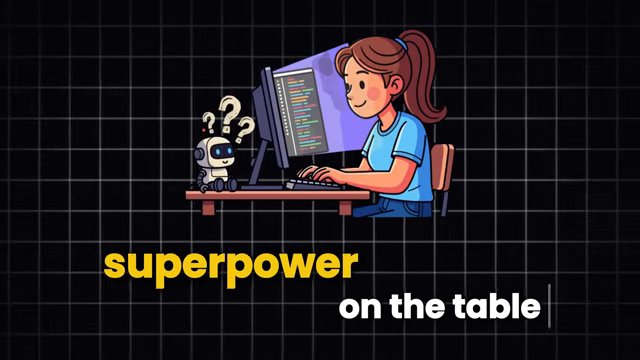
“The concepts only click when you use them in context.” The counter project turns DOM lookups and state updates from exercises into behavior — the same project-first instinct 102 teaches by. And for stuck moments: “Use it like a mentor that’s available at 2 am.” AI explains the snippet; the learner still writes the code — assistance without abdication.
// the context drill: state plus DOM, wired by hand
let count = 0;
document.getElementById("counter").innerText = count.toString();

function increment() {
	count++;
	document.getElementById("counter").innerText = count.toString();
}
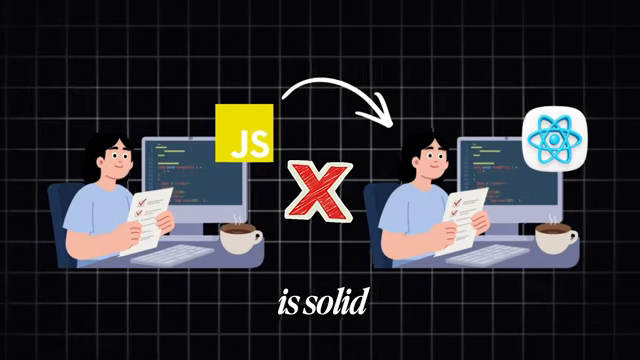
The motivational close of the foundations run: backward it assumes the runtime model of 156 and the motive statistics of 112; its project directive echoes 102 and 152. Forward, 027 is where the roadmap sends learners who finish the video ready to work.
Prev: 156 — Event Loop, Web APIs, Task Queues · Next: 158 — TypeScript Makes You A Faster Developer
Transcript notes: Quotes (“JavaScript runs on 98.9% of all websites.”, “Instead of watching a tutorial on arrays and going yes, I get it”, “Every time you recall it, it sticks a little deeper.”, “The concepts only click when you use them in context.”, “Use it like a mentor that’s available at 2 am.”) verified against the transcript segments; the motive, recall, repetition, counter, and AI-mentor snippets verified against the narrative’s concept blocks. Screenshot refs cover 5 sampled frames in order (source frames 1, 2, 4, 6, 9): frame-0001.png (credential close-up) through frame-0005.png (builders close) across the ~12:09 runtime — a presenter-plus-animation video, so frames are scenes and graphics rather than editor sessions.