096 — Generics (addUID capture, extends constraints, and Resource<T>)
Full companion narrative for TypeScript Tutorial #18 — generics that capture the call-site type: addUID from object to <T> to extends, then the generic Resource<T> interface with string, object, and array data
Video: 096 · TypeScript Tutorial #18 - Generics · watch · ~09:44 · Net Ninja TypeScript tutorial series, lesson 18 (Shaun)
Source: this is a written companion to the video. Part of the Favorite TypeScript Videos curated path, module 04 (functions and generics). The one idea: generics capture the type so reuse does not lose it.
the problem: addUID forgets its input
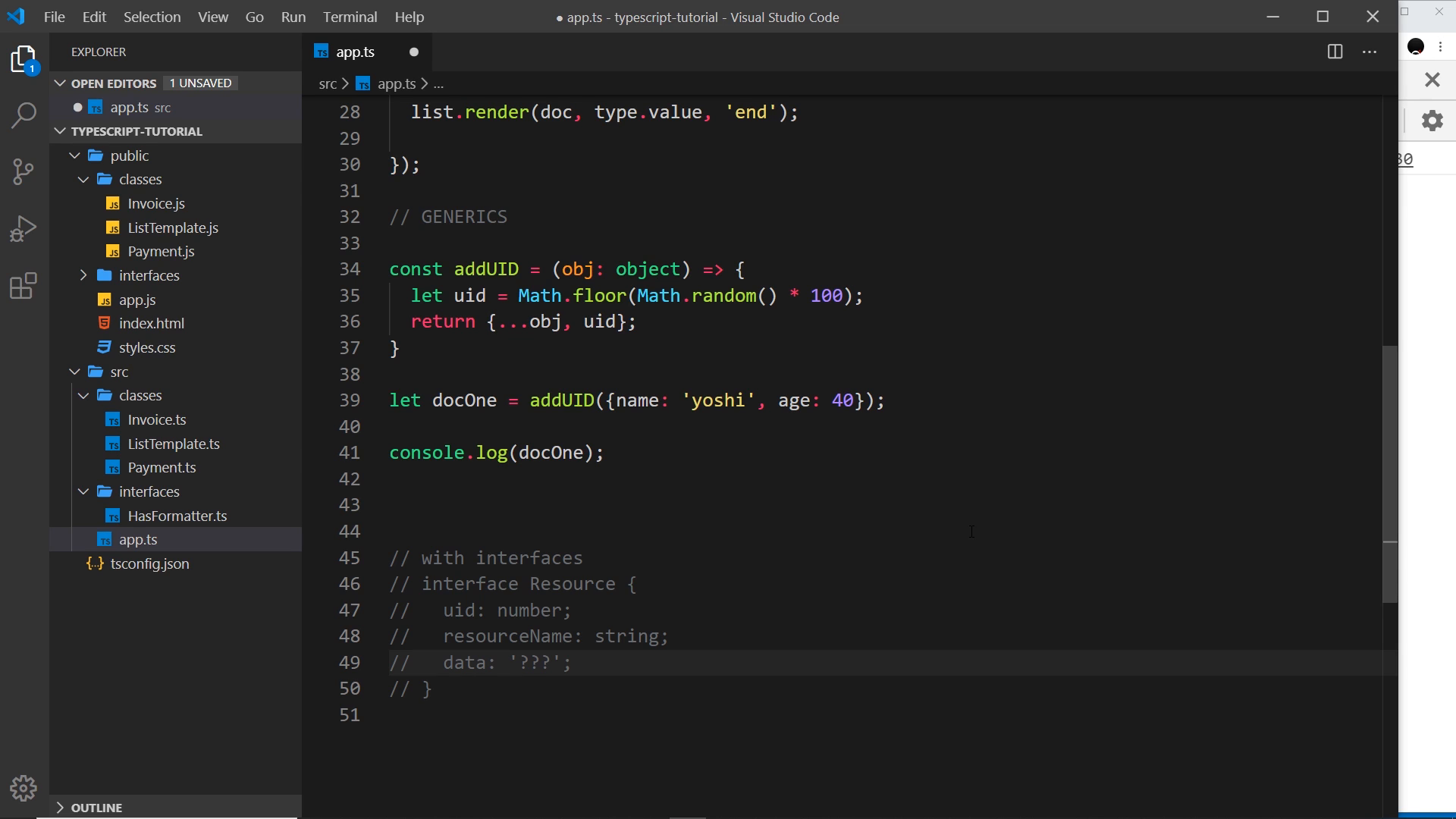
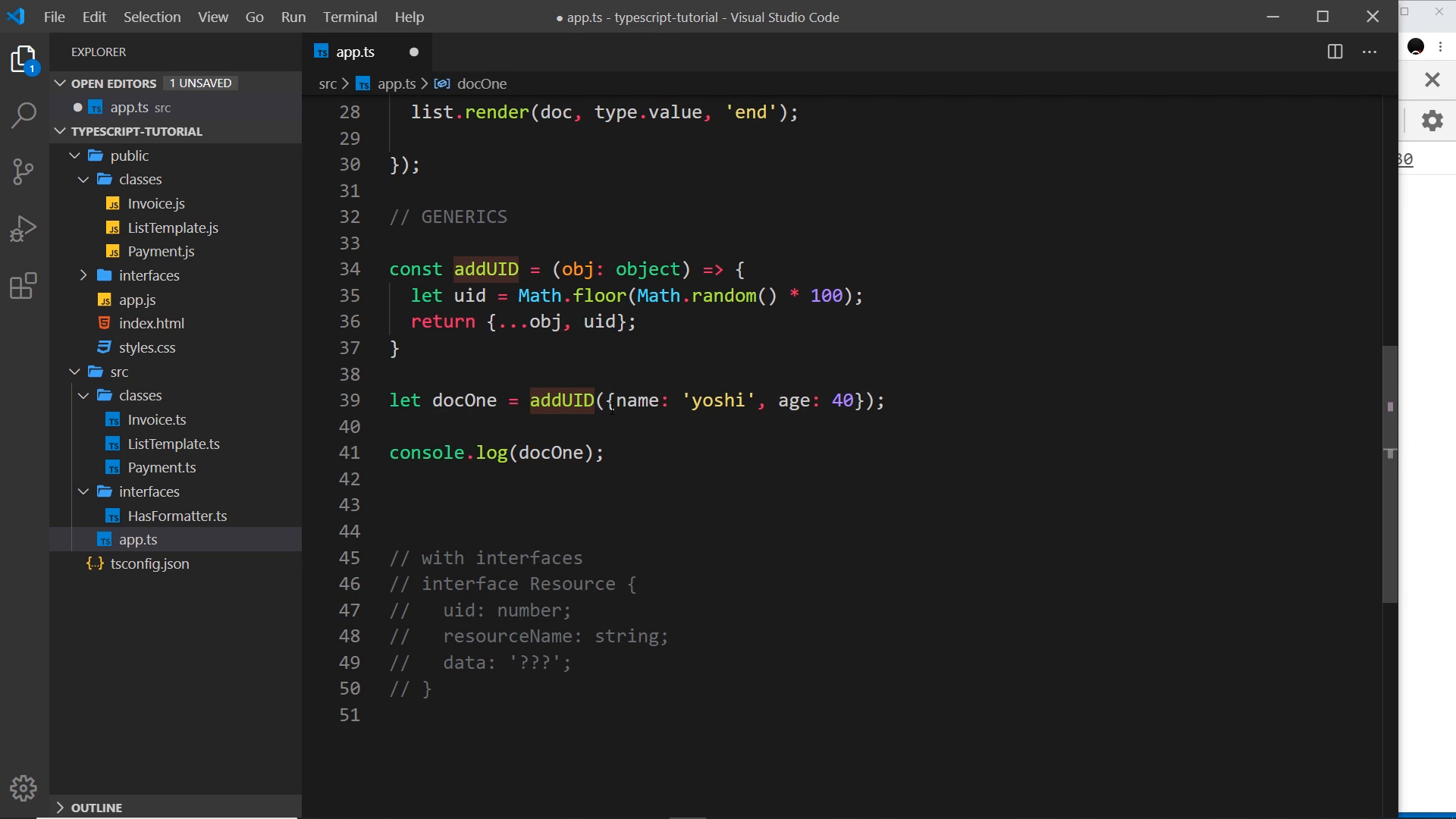
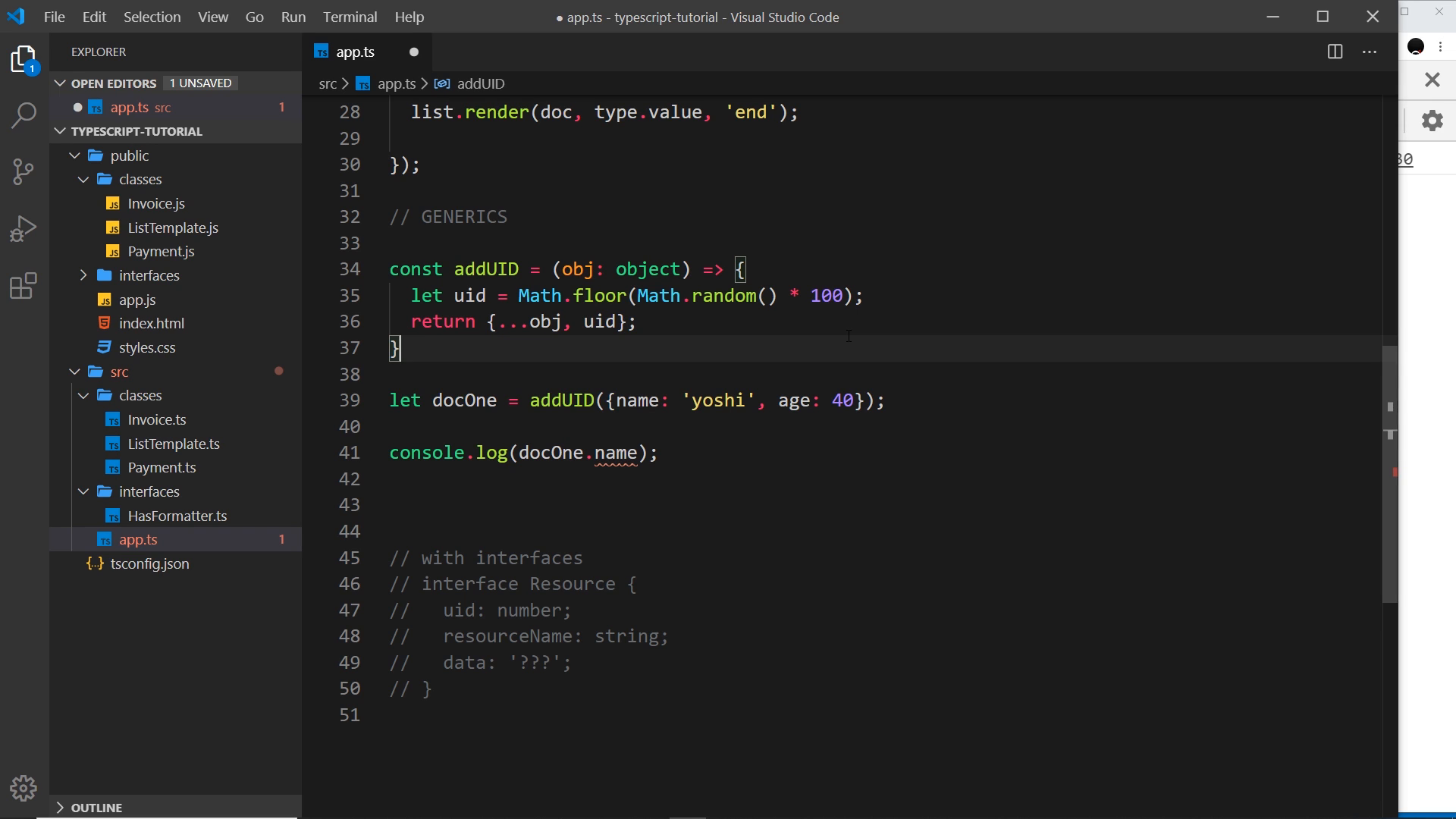
The demo function attaches a random id to any object passed in. Typed (obj: object), it returns the right runtime object ({ name, age, uid }) — but the compiler forgets the input properties, so docOne.name errors:
const addUID = (obj: object) => {
	let uid = Math.floor(Math.random() * 100);
	return { ...obj, uid };
};

let docOne = addUID({ name: "yoshi", age: 40 });
console.log(docOne.name); // error — property does not exist on the return type
the fix: capture the type with
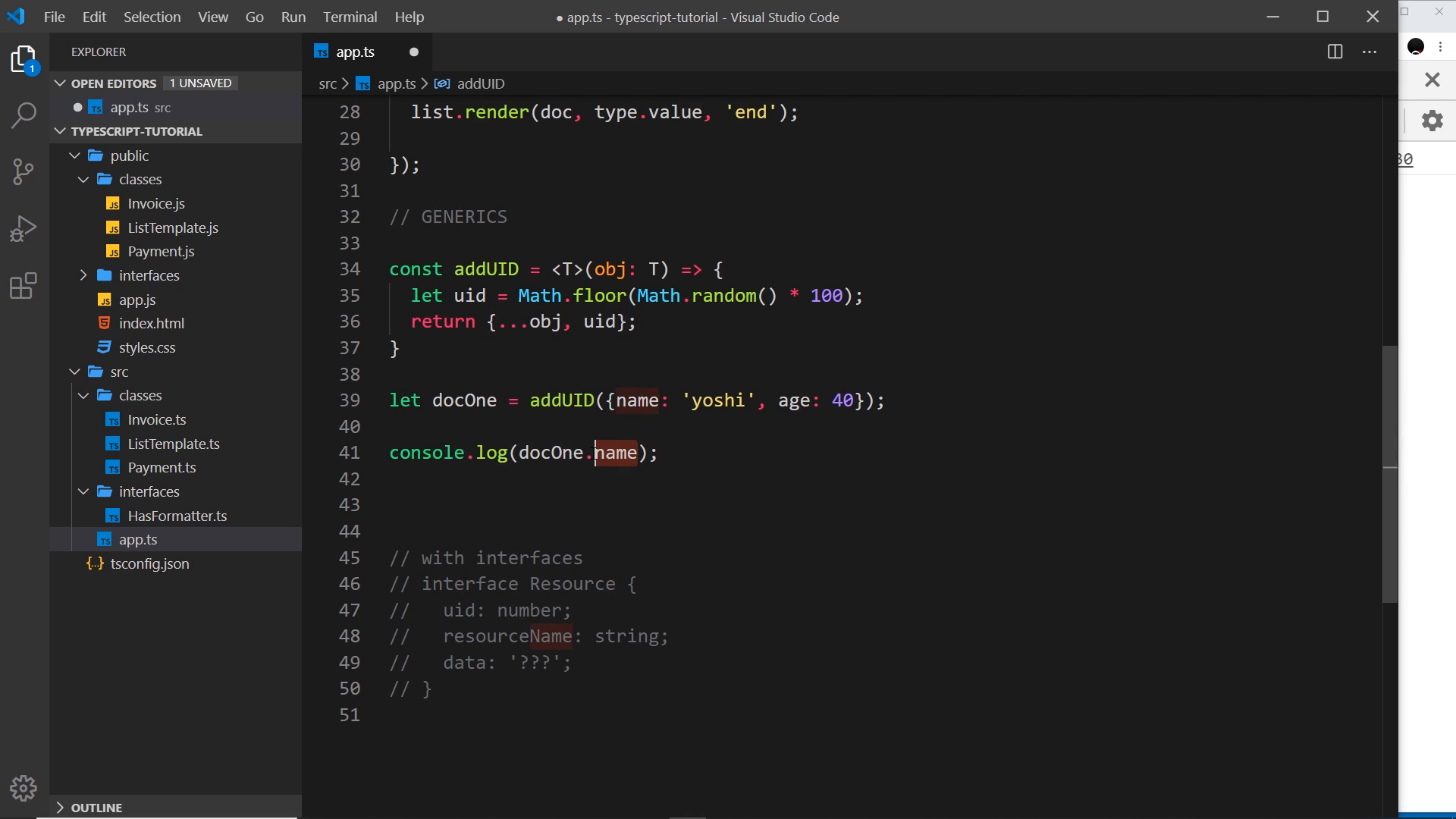
“Now the way we do this is typically by placing angle brackets and then a big T in front of the function.”
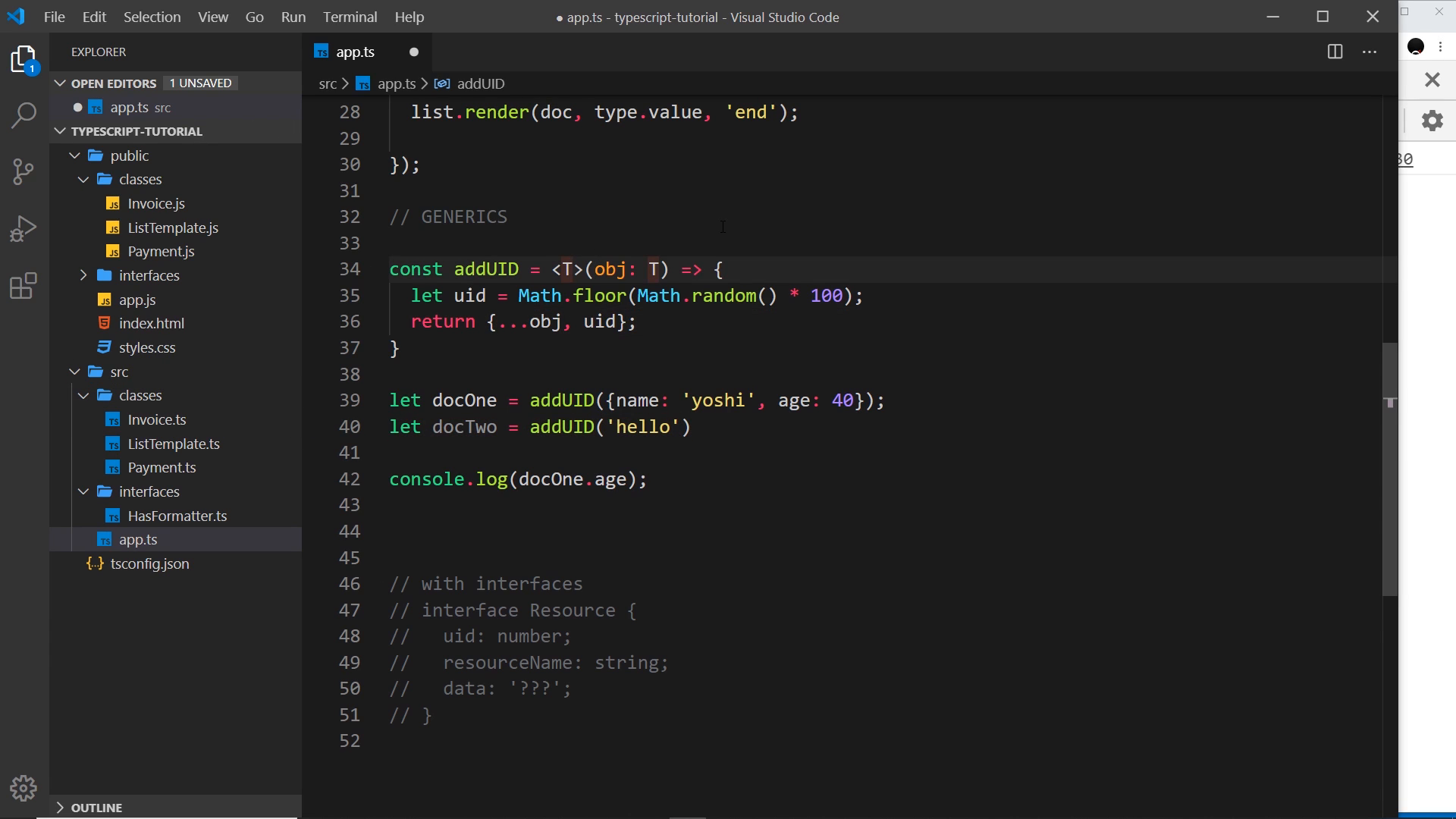
const addUID = <T>(obj: T) => {
	let uid = Math.floor(Math.random() * 100);
	return { ...obj, uid };
};

let docOne = addUID({ name: "yoshi", age: 40 });
console.log(docOne.name); // ok — T captured { name: string; age: number }
Declaring <T>(obj: T) captures the call-site type and carries it into the return type, restoring .name and .age access.
the floor: extends constraints
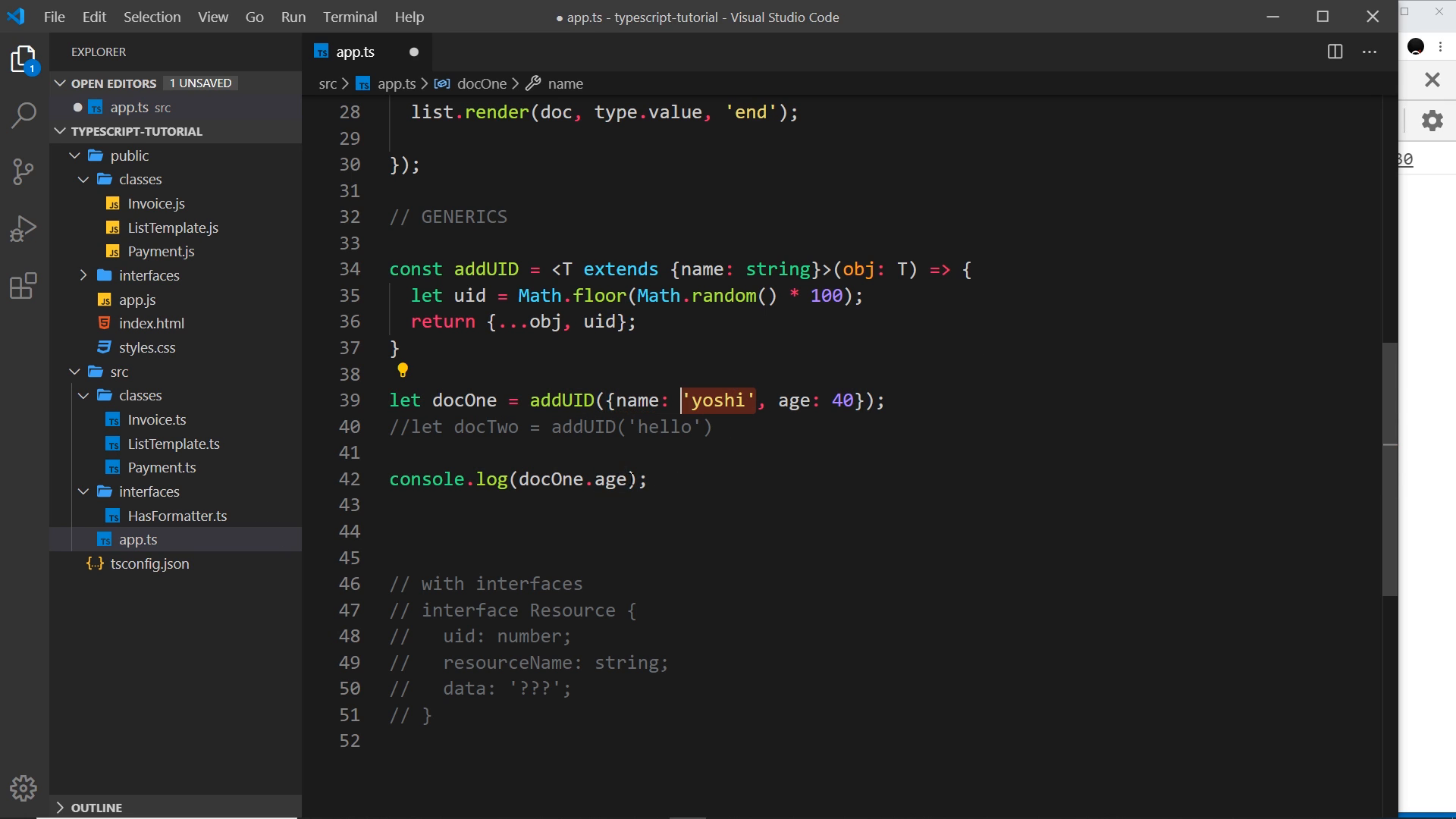
Bare <T> accepts anything — addUID('hello') compiles — so extends sets the floor:
const addUID = <T extends { name: string }>(obj: T) => {
	let uid = Math.floor(Math.random() * 100);
	return { ...obj, uid };
};

let docOne = addUID({ name: "yoshi", age: 40 }); // ok
// let docTwo = addUID('hello'); // error — string has no name
“So we can get around this by saying inside this T that it extends, for example, not in capitals, extends object.”
<T extends object> rejects non-objects; <T extends { name: string }> demands a string name — while T still captures everything above the minimum, so extra properties like age survive.
generics on interfaces: Resource
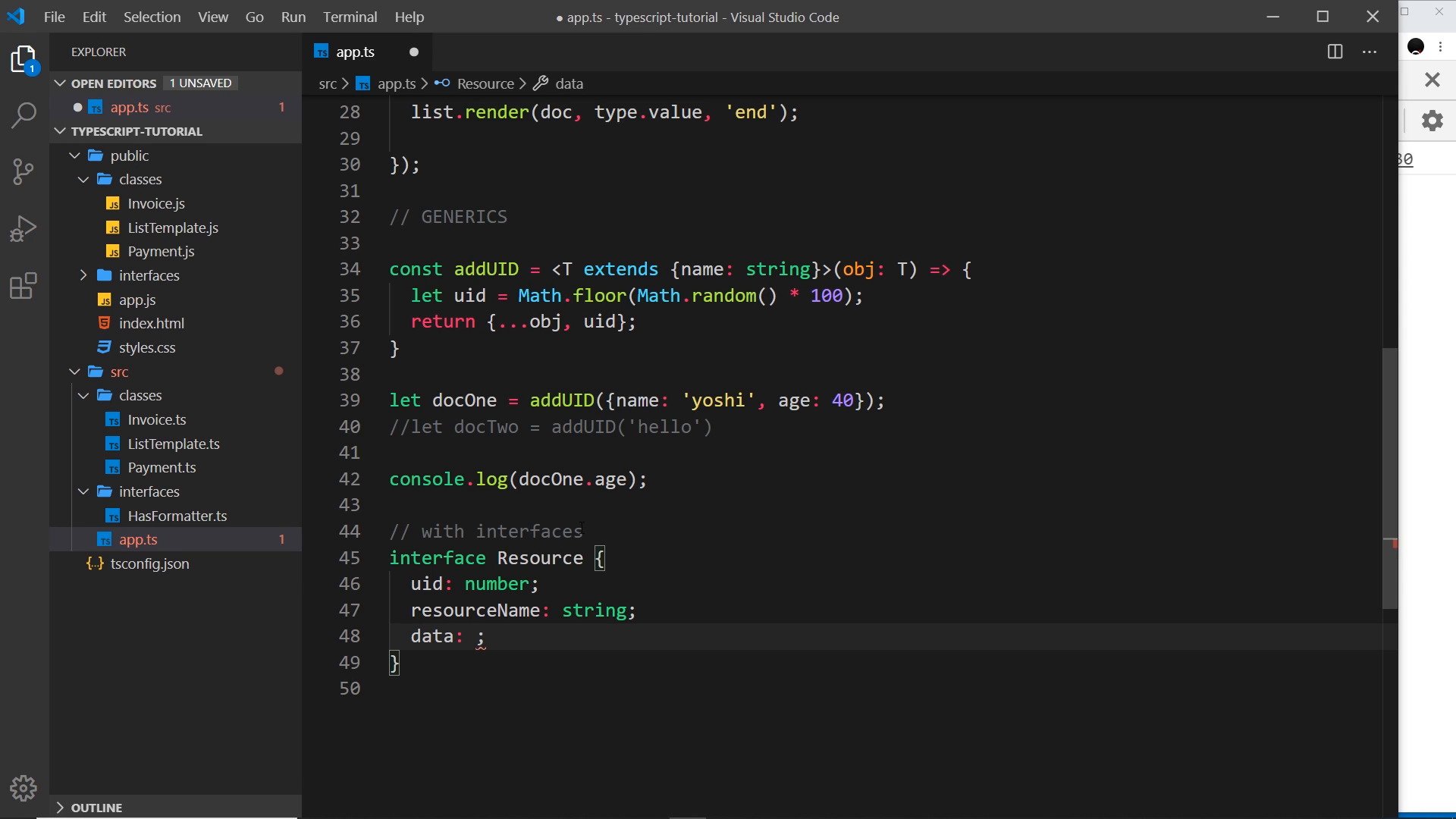
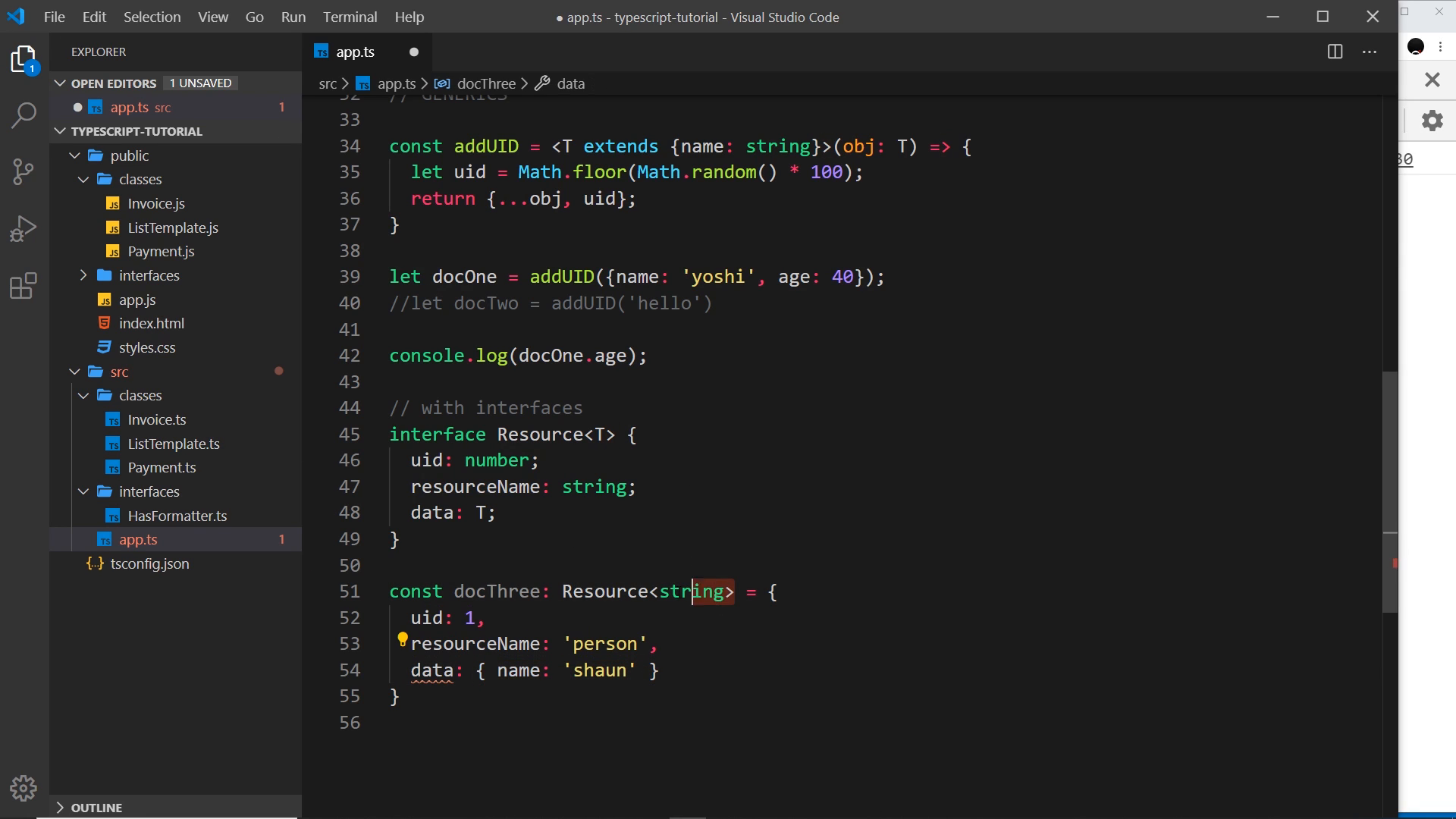
Second half moves generics to interfaces. Resource fixes uid: number and resourceName: string while data: T varies per use:
interface Resource<T> {
	uid: number;
	resourceName: string;
	data: T;
}
“So, we want to make this generic, and the way we can do that is by passing again into this, the type in angle brackets, and down here we’re gonna say that the data is gonna be whatever type that we specify when we create an object which implements this resource, OK?”
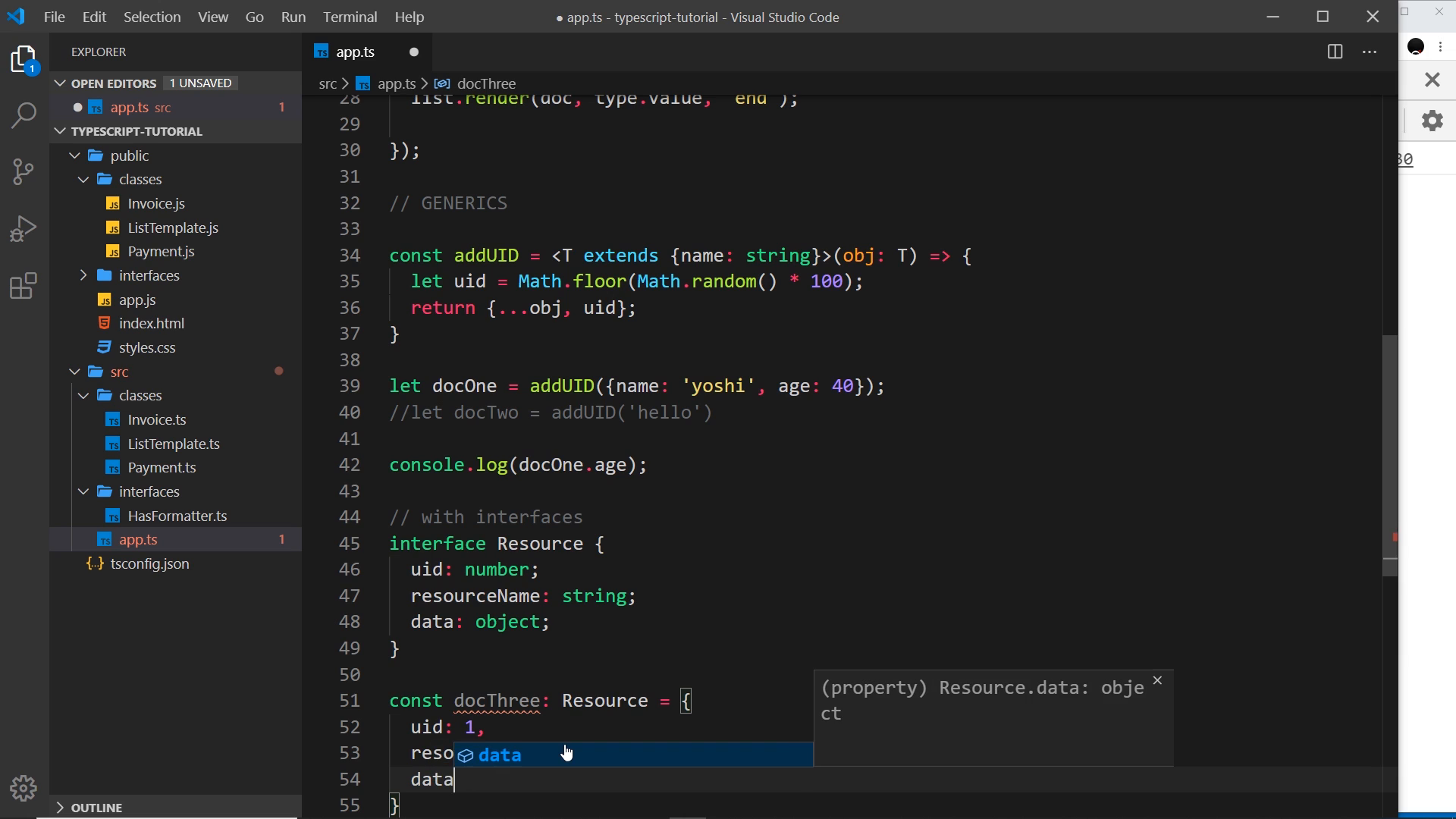
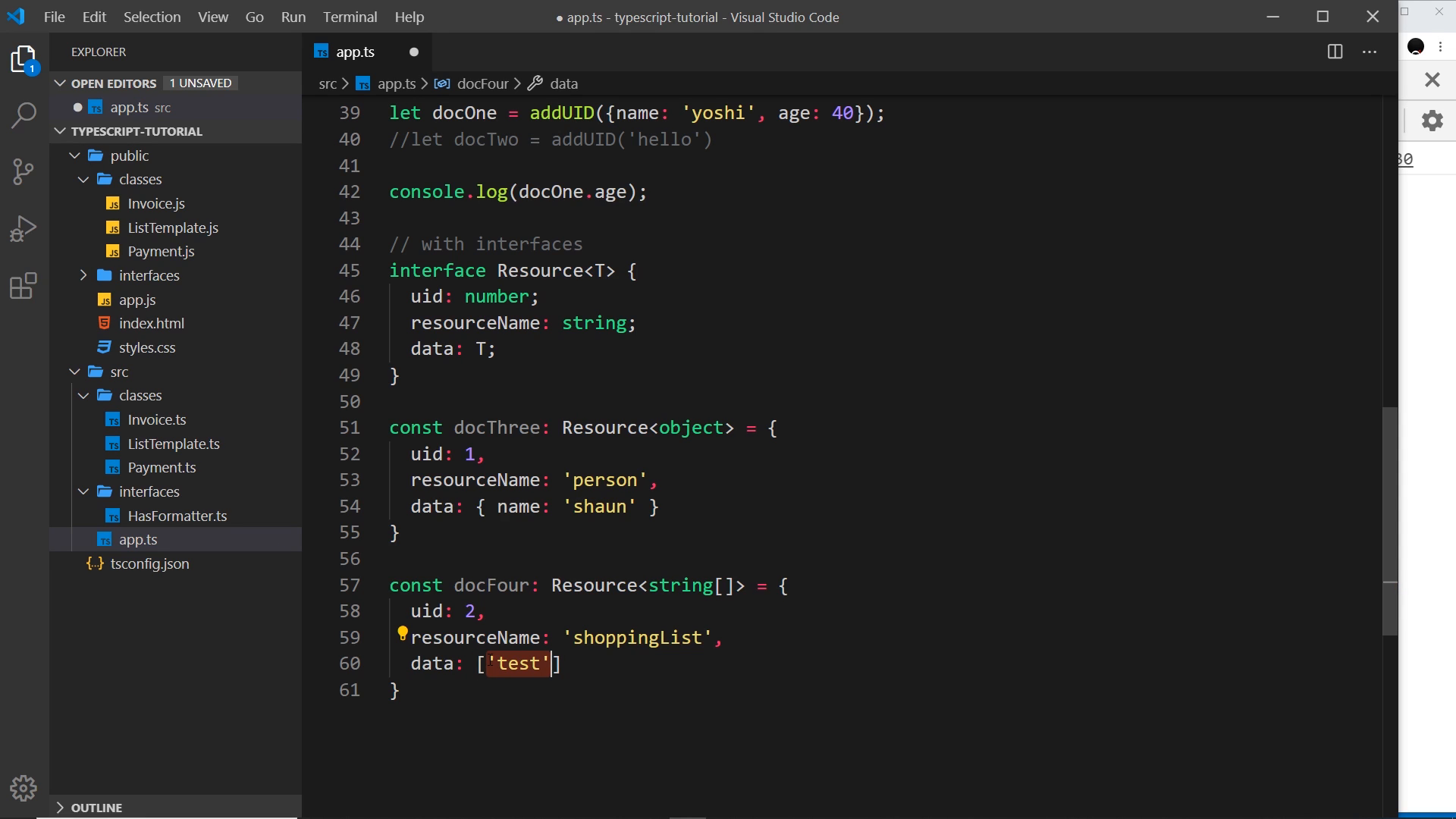
Three instantiations — one interface stays reusable without collapsing data to any:
const docThree: Resource<string> = {
	uid: 1,
	resourceName: "person",
	data: "shaun",
};

const docFour: Resource<object> = {
	uid: 1,
	resourceName: "person",
	data: { name: "shaun" },
};

const docFive: Resource<string[]> = {
	uid: 2,
	resourceName: "shoppinglist",
	data: ["test"],
};
The generic data: T parameter is untouched by the next lesson’s enums — enums and generics compose freely (lesson 19 builds directly on this Resource shape).
Prev: 095 — Rendering an HTML Template · Next: 097 — Enums
The auto-transcript renders docOne/docTwo as docone/doc 2, uid as UID, and “hunky dory” without the hyphens; this narrative uses the corrected code forms. Frame OCR once reads addUUID/uuid and once drops the T (<obj>(obj: object)) mid-edit — the finished <T>(obj: T) form above is what the lesson lands on.