032 — #04 Datatypes in TypeScript | TypeScript Basics & Data Types | A Complete TypeScript Course
This video introduces the fundamental data types in TypeScript, including strings, numbers, and booleans. It explains how to create strings using different quotation marks and how to use template literals for embedding variables. The `number` type is covered, highlighting that all numeric values are stored as floating-point numbers. The `boolean` type and its truthy/falsy values are also discussed
Video: 032 · #04 Datatypes in TypeScript | TypeScript Basics & Data Types | A Complete TypeScript Course · watch · ~14:12 · procademy
Source: this is a written companion to the video. Part of the Favorite TypeScript Videos curated path. Narrative mined from transcript + visual captions (
Qb15y2BV42Y-narrative.md).
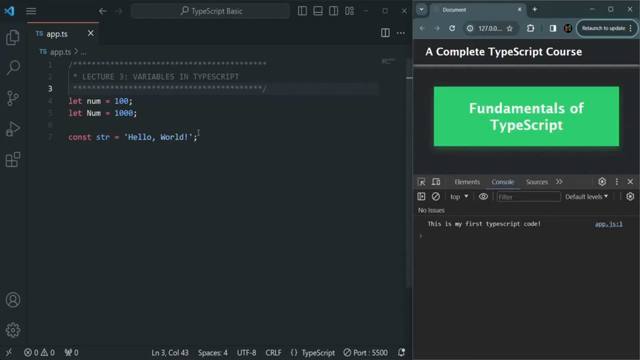
The editor opens on app.ts where the last lesson left off — let num = 100, let Num = 1000, const str = 'Hello, World!' — with the Live Server browser beside it. This lesson gives those variables their types.
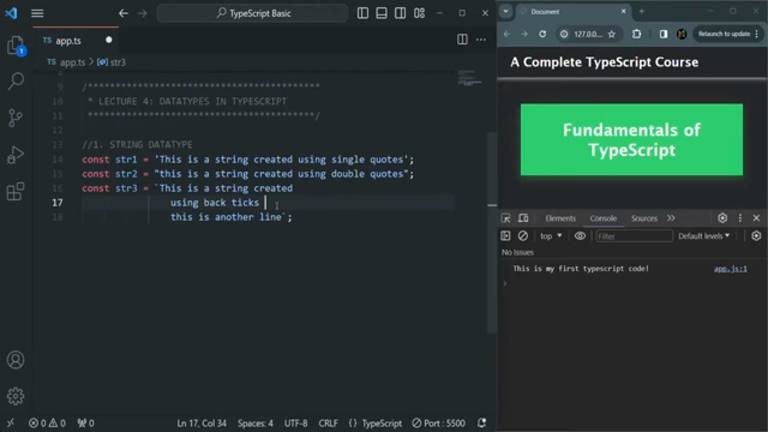
Strings come first. Single quotes, double quotes, and backticks all make strings — but only backticks stretch across lines and embed values:
const str1 = "This is a string created using single quotes";
const str2 = "This is a string created using double quotes";
const str3 = `This is a string created
using back ticks
this is another line`;
Template literals splice variables straight into the text with ${...}:
let name = "Alice";
let greeting = `Hello, ${name}!`;
Hovering greeting in VS Code reports its inferred type as string — no annotation written, type known anyway. That hover-to-check move is the lesson’s standing habit for confirming what inference decided.
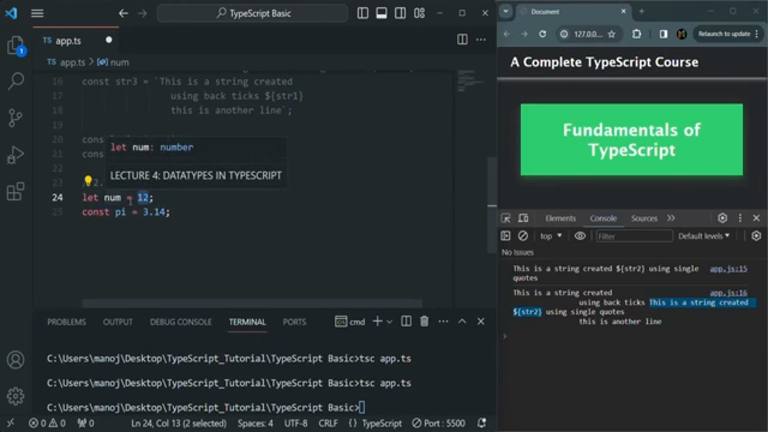
Numbers follow, and there is exactly one of them: every numeric value, integer or decimal, is a floating-point number — 12 is stored as 12.0, just like JavaScript:
let num = 12; // Internally stored as 12.0
let age: number = 25;
const pi = 3.14;
The terminal below the editor shows the compile loop running — tsc app.ts turning the lesson file into JavaScript — while the browser console logs the string experiments line by line.
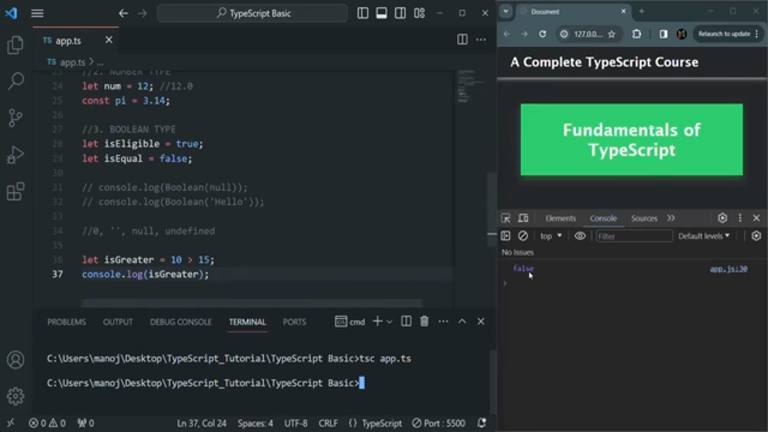
Booleans close the tour. true and false are the whole type, comparisons produce them, and the lesson demos the falsy set — 0, "", null, undefined — that collapses to false in a condition:
let isEligible = true;
let isEqual = false;
let isGreater = 10 > 15;
console.log(isGreater); // false
if (0) console.log("Truthy"); // Falsy, so this won't run
if ("") console.log("Truthy"); // Falsy
if (1) console.log("Truthy"); // Truthy
The console shows false for the comparison, and the type story lands where the variables lesson left it: let allows reassignment within the type, const forbids reassignment entirely, and inference watches both. The path continues into type operator territory with 033 — #11 Union Type.
Prev: 031 — Learn TypeScript Generics in 13 Minutes · Next: 033 — #11 Union Type in TypeScript | TypeScript Basics & Data Types | A Complete TypeScript Course
Duration ~14:12. String examples follow the editor frames (str1/str2/str3); num/Num/str carry over from lesson 026.