022 — #1 - What is TypeScript || Install Typescript || TypeScript vs JavaScript
This video introduces TypeScript as a statically typed superset of JavaScript, developed by Microsoft and designed to enhance developer productivity and code reliability. It covers the basics of TypeScript, including its static typing, type inference, and compilation process. The video also guides viewers on how to install TypeScript globally using `npm` and highlights the benefits of using an IDE
Video: 022 · #1 - What is TypeScript || Install Typescript || TypeScript vs JavaScript · watch · ~17:31 · Naveen AutomationLabs
Source: this is a written companion to the video. Part of the Favorite TypeScript Videos curated path. Narrative mined from transcript + visual captions (
GrL86rlRvpA-narrative.md).
Naveen opens with the premise the whole series rests on: JavaScript runs everywhere, but it never tells you when you are wrong. TypeScript is Microsoft’s answer — a statically typed superset of JavaScript that catches errors at compile time instead of runtime, and compiles away to plain JavaScript that runs anywhere JavaScript does.
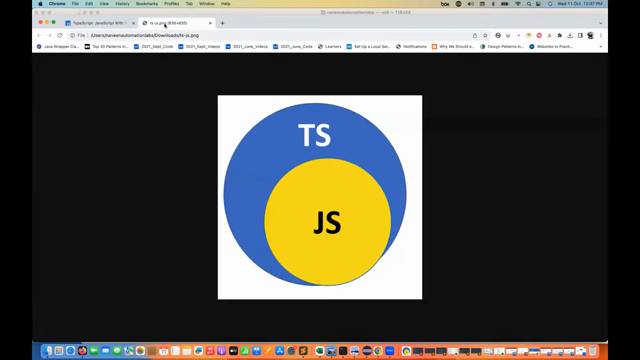
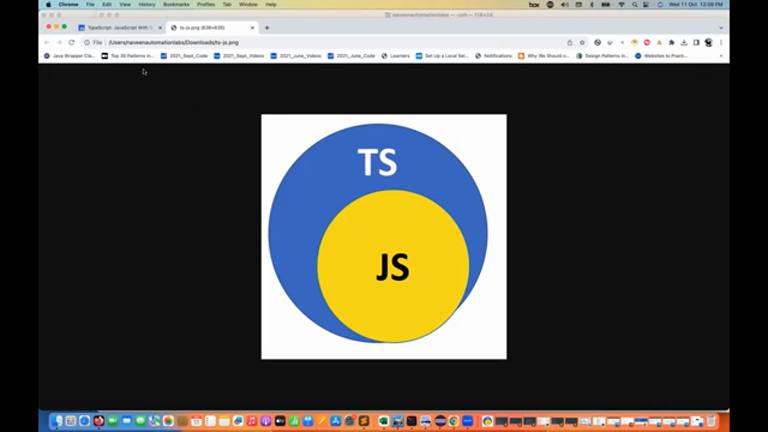
The pitch comes in layers. First, superset: everything valid in JavaScript is valid in TypeScript, plus static typing layered on top. Then the mechanics: annotate a variable and the compiler holds you to it.
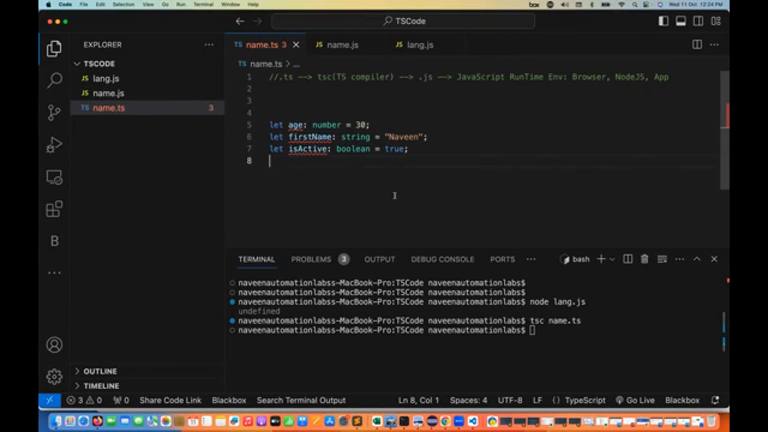
let message: string = "Hello, TypeScript!";
let count: number = 10;
tsc compiles script.ts to script.js; tsc -v confirms the install. The compiler also infers — let name = "Naveen" is a string without being told — and enforces: user.age on an object without it is a compile-time error, not a silent undefined.
Installation is one global command and a version check:
npm install -g typescript
tsc -v
The recommended environment is VS Code, for completion, inline errors, and linting as you type.
Then the contrast that justifies the toolchain: JavaScript is dynamically typed — let x = 10; x = "ten" runs fine — while TypeScript’s annotations, inference, interfaces, and object-oriented constructs (classes, access modifiers) trade a compilation step for robustness:
function greet(name: string): void {
	console.log("Hello, " + name);
}
interface User {
	id: number;
	name: string;
}
The through-line of all twenty-one beats: explicit types make code clearer and failures earlier. Types annotate, the compiler verifies, JavaScript executes.
Prev: 021 — Wrap Up · Next: 023 — Learn TypeScript Full Course
Survey-format lesson: twenty-one short concept beats. Code samples follow the video verbatim.