014 — Modules (export, import, and the .js specifier)
Full companion narrative for TypeScript Tutorial #14 — Modules: moving Invoice into its own module, export and import, the .js specifier gotcha, and honest drawbacks
Video: 014 · TypeScript Tutorial #14 - Modules · watch · ~6:37 · Net Ninja TypeScript tutorial series, module 05 (objects and interfaces)
Source: this is a written companion to the video. Part of the Favorite TypeScript Videos curated path, module 05 (objects and interfaces). The first refactor lesson: until now all code lived in one file — larger projects stay readable when split into modular files.
one class per file
Single-file code does not scale: navigation, ownership, and updates all get harder. The convention is to group related code per file — DOM handling in one file, data or auth logic in others. TypeScript’s answer is the ES6 (ECMAScript 2015) module system: export from one file, import into another. No new syntax to learn beyond vanilla JavaScript modules.
This lesson does exactly one refactor: move the Invoice class (built in 012 and tightened in 013) out of src/app.ts into its own module, and configure the project so the browser-native ES6 module system loads the compiled output.
three one-line project changes
tsconfig emits native ES modules
{
	"compilerOptions": {
		"target": "ES6",
		"module": "ES2015",
		"outDir": "./public",
		"rootDir": "./src"
	}
}
"module": "ES2015" keeps import / export statements in the compiled JavaScript instead of down-compiling them to an older module format. "target": "ES6" matches: we are deliberately targeting modern browsers only. Key point from the lesson: TypeScript does not polyfill or rewrite the module system for old browsers — use Chrome or Firefox for this lesson.
the entry script becomes a module
<script type="module" src="app.js"></script>
Without type="module" the browser refuses import statements in app.js.
the resulting file layout
src/
  app.ts                 # DOM queries, form listener, Invoice instantiation
  classes/
    Invoice.ts           # Invoice class definition only
public/
  app.js                 # compiled, still contains `import`
  classes/
    Invoice.js           # compiled, still contains `export`
The folder name classes/ (alternatives: models/) is a convention, not a requirement. Only the class definition moves — instantiation (new Invoice(...)) stays in app.ts.
moving the class, exporting, importing
Before (everything in src/app.ts):
class Invoice {
	constructor(
		readonly client: string,
		private details: string,
		public amount: number,
	) {}
	format() {
		return `${this.client} owes £${this.amount} for ${this.details}`;
	}
}

// ... form handling, `new Invoice(...)` calls below
Step 1 — cut the class into src/classes/Invoice.ts and export it:
export class Invoice {
	constructor(
		readonly client: string,
		private details: string,
		public amount: number,
	) {}
	format() {
		return `${this.client} owes £${this.amount} for ${this.details}`;
	}
}
Just the export keyword in front of the class. Nothing else changes.
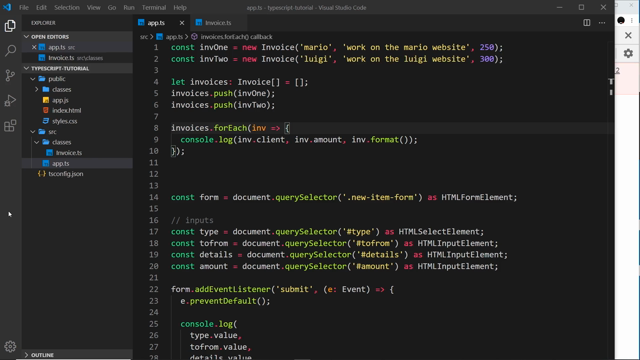
Step 2 — observe the break. app.ts can no longer see Invoice. The console shows the exact failure:
Uncaught ReferenceError: Invoice is not defined at app.js:12
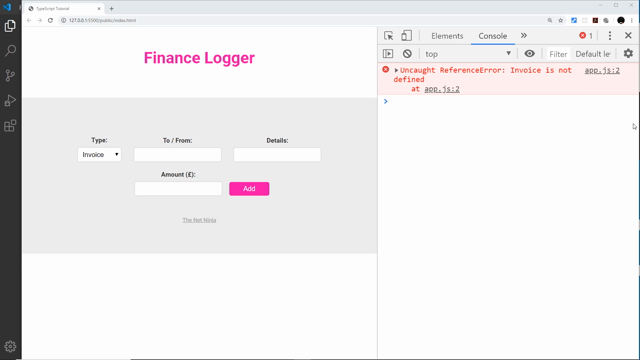
Step 3 — import it at the top of src/app.ts:
import { Invoice } from "./classes/Invoice.js";
The named import in curly braces must match the exported name exactly (Invoice, case-sensitive).
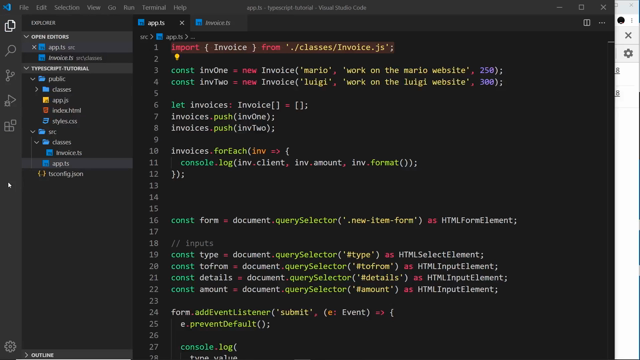
the .js extension rule
Even though you write
./classes/Invoice.ts, you must import./classes/Invoice.js.
The browser loads the compiled JavaScript, never the .ts source. tsc preserves the specifier string verbatim, so a .ts specifier would make the browser request a file that does not exist. Rule of thumb: in TypeScript ES-module imports, always write the output (.js) extension.
identical output after the move
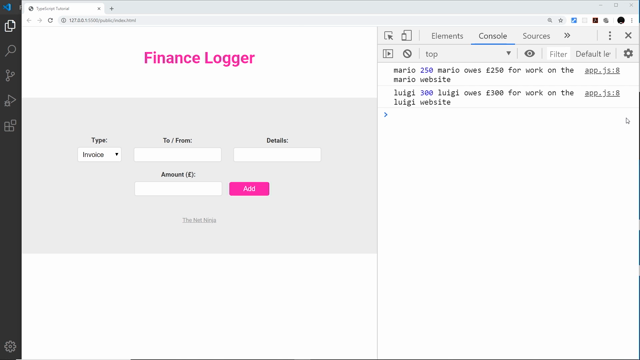
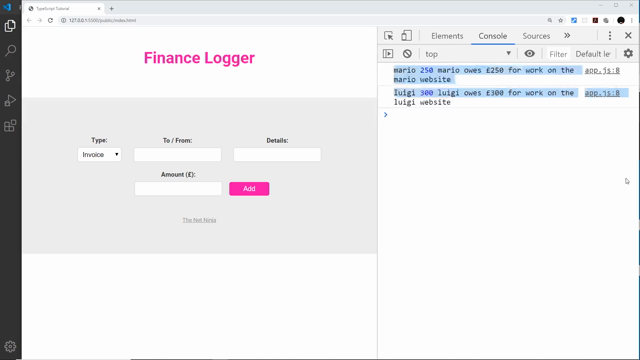
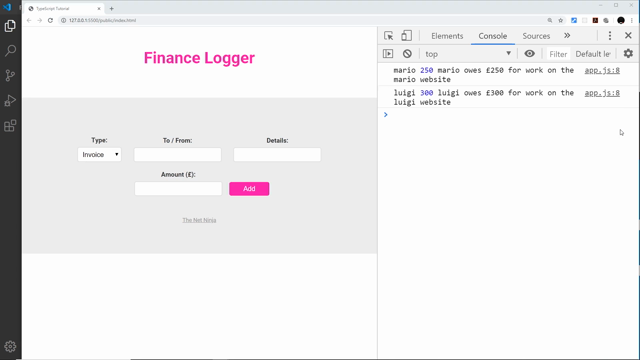
Save, recompile, reload. The Finance Logger list (mario £250, luigi £300) renders exactly as before — the refactor changed organization, not behavior.
what tsc emits, file for file
tsc mirrors the source tree into public/ — it does not merge anything:
// public/classes/Invoice.js
export class Invoice {
	constructor(client, details, amount) {
		/* ... */
	}
	format() {
		/* ... */
	}
}
// public/app.js
import { Invoice } from "./classes/Invoice.js";
// ... rest of app logic, `new Invoice(...)` as before
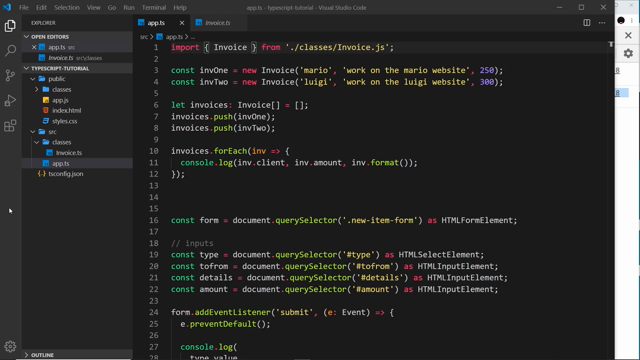
Network-tab proof: two separate requests — one for app.js, one for Invoice.js.
browser support and the request waterfall
- Browser support. Only modern browsers load native ES modules. Older browsers error out; TypeScript will not shim this for you.
- No bundling. Each module is its own file and its own HTTP request. A growing project means a growing request waterfall (
app.js+Invoice.js+ …).
Remedy previewed (not implemented here): add webpack (or any bundler) to concatenate everything into one file — one request, and transpiled output that older browsers accept. A follow-up mini-series on TypeScript + webpack is promised.
The outro previews enforcing structure without creating objects — 015 — Interfaces — and a follow-up mini-series on TypeScript plus webpack for bundling.
Prev: 013 — Access Modifiers · Next: 015 — Interfaces
Transcript notes: ECMAScript 2015 (ES2015 / ES6); the .js specifier always references the compiled output; "module": "ES2015" (module system) vs "target": "ES6" (language level); ReferenceError: Invoice is not defined; <script type="module"> on the entry script. tsc mirrors the tree and merges nothing — two network requests prove it.